

Set a booking limit
- Go to Links and open the Link you want to update.
- Select Limits & buffers.
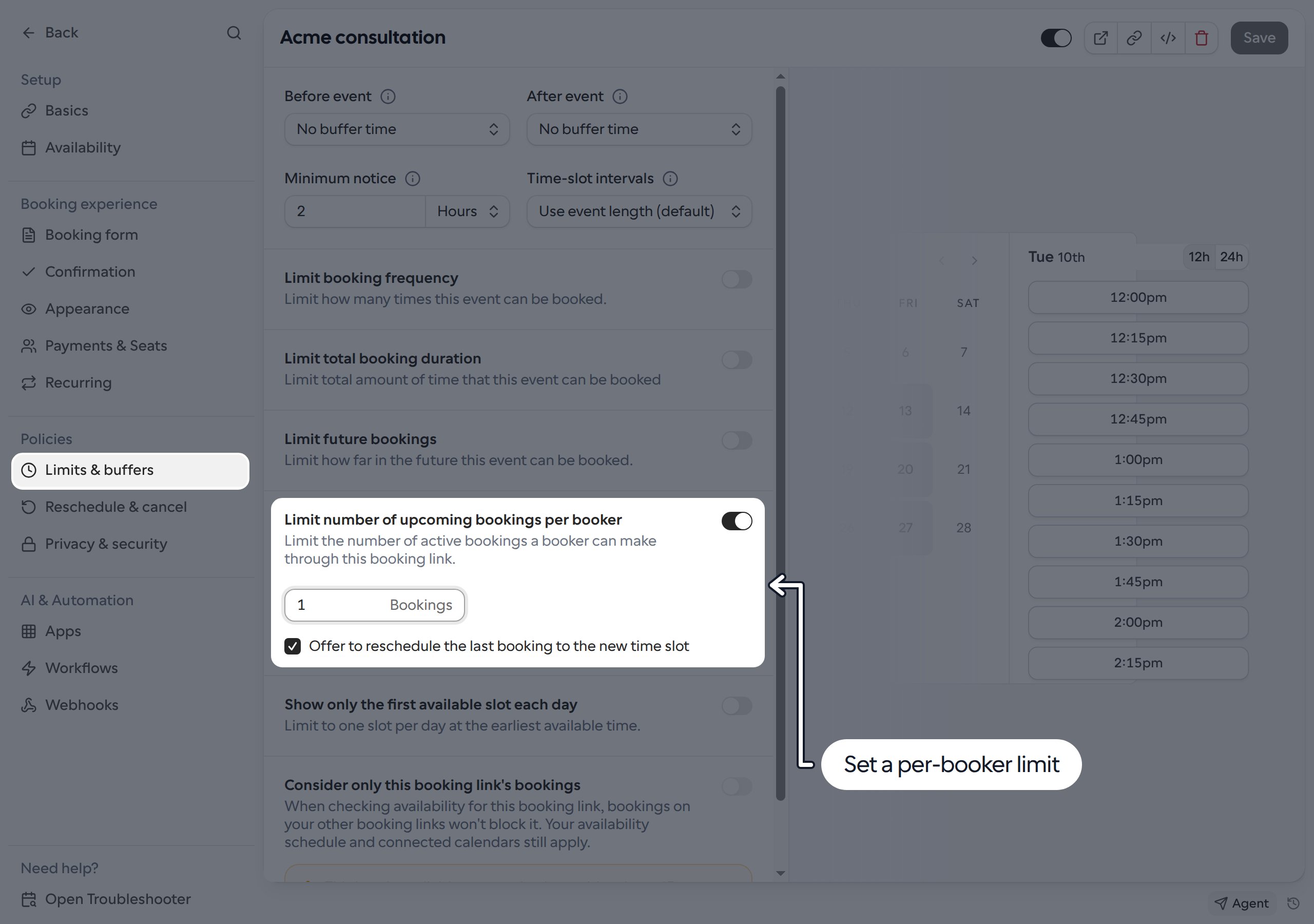
- Turn on Limit number of upcoming bookings per booker.
- Enter the maximum number of bookings allowed, starting at 1.
- Optionally select Offer to reschedule the last booking to the new time slot.
- Click Save.
What counts toward the limit
- The limit applies separately to each Link, not across all of your Links.
- It counts accepted bookings whose end time has not passed, including meetings already in progress. Canceled, rejected, pending and past bookings do not count.
- Matching uses the email address entered by the booker against booking attendees. It is not an account-based limit, and a booking where that address was added as a guest can also count.
- This is not a limit on the host’s or team’s total bookings. Different bookers have separate limits.