

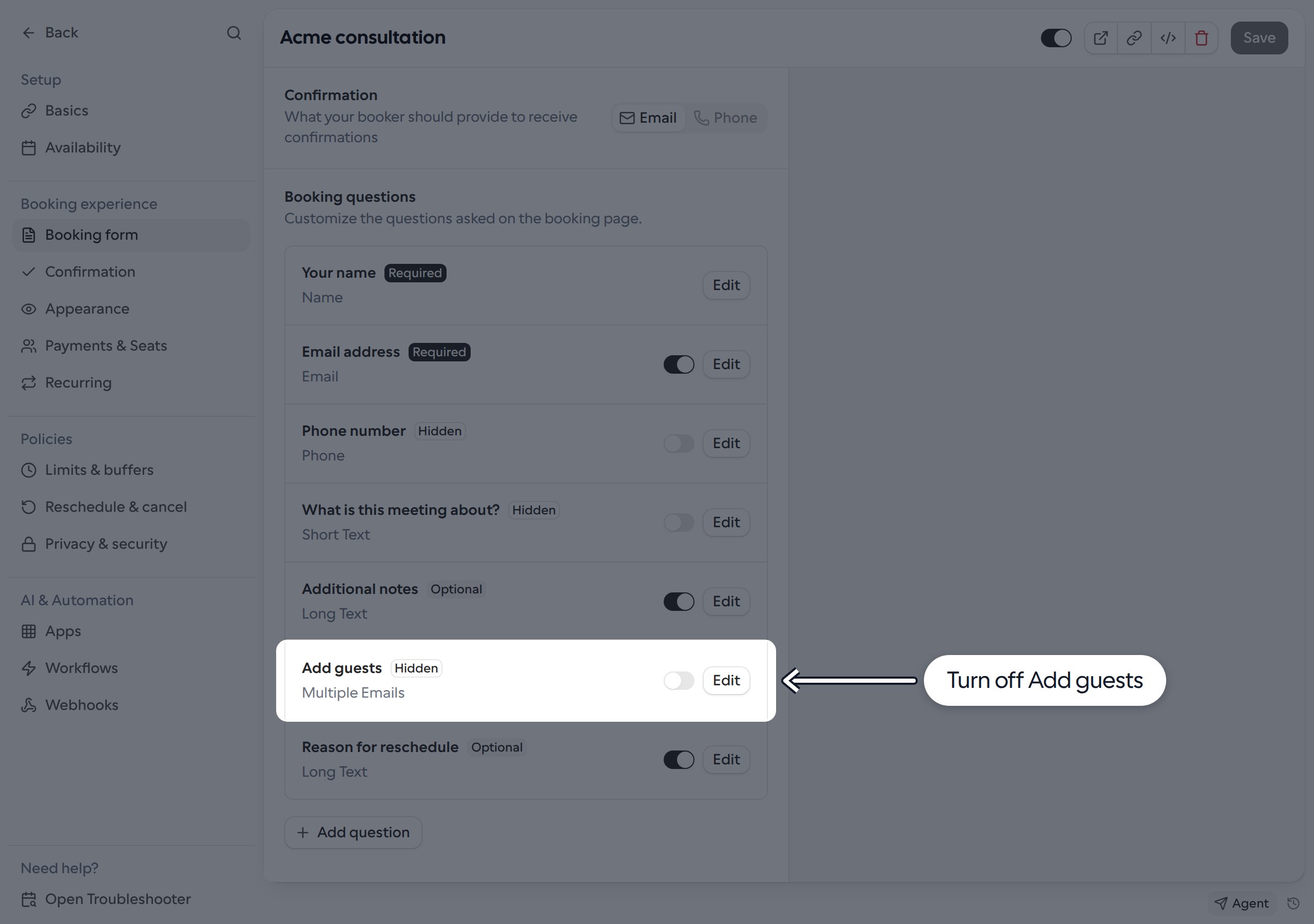
Turn off Add guests
- Go to Links and open the Link you want to update.
- Select Booking form and find Booking questions.
- Turn off the toggle beside Add guests. The question is marked Hidden.
- Click Save.
What this setting controls
This hides the booking-page controls, not every way of adding guests. Guest emails supplied through theguests URL parameter or when creating a booking through the API can still be accepted. Do not rely on this toggle as an access restriction.
Bookers may also be able to invite others from their own calendar, depending on their calendar provider and event permissions. This setting does not change those permissions.