Set up email restrictions
- Go to Links and open the Link you want to update.
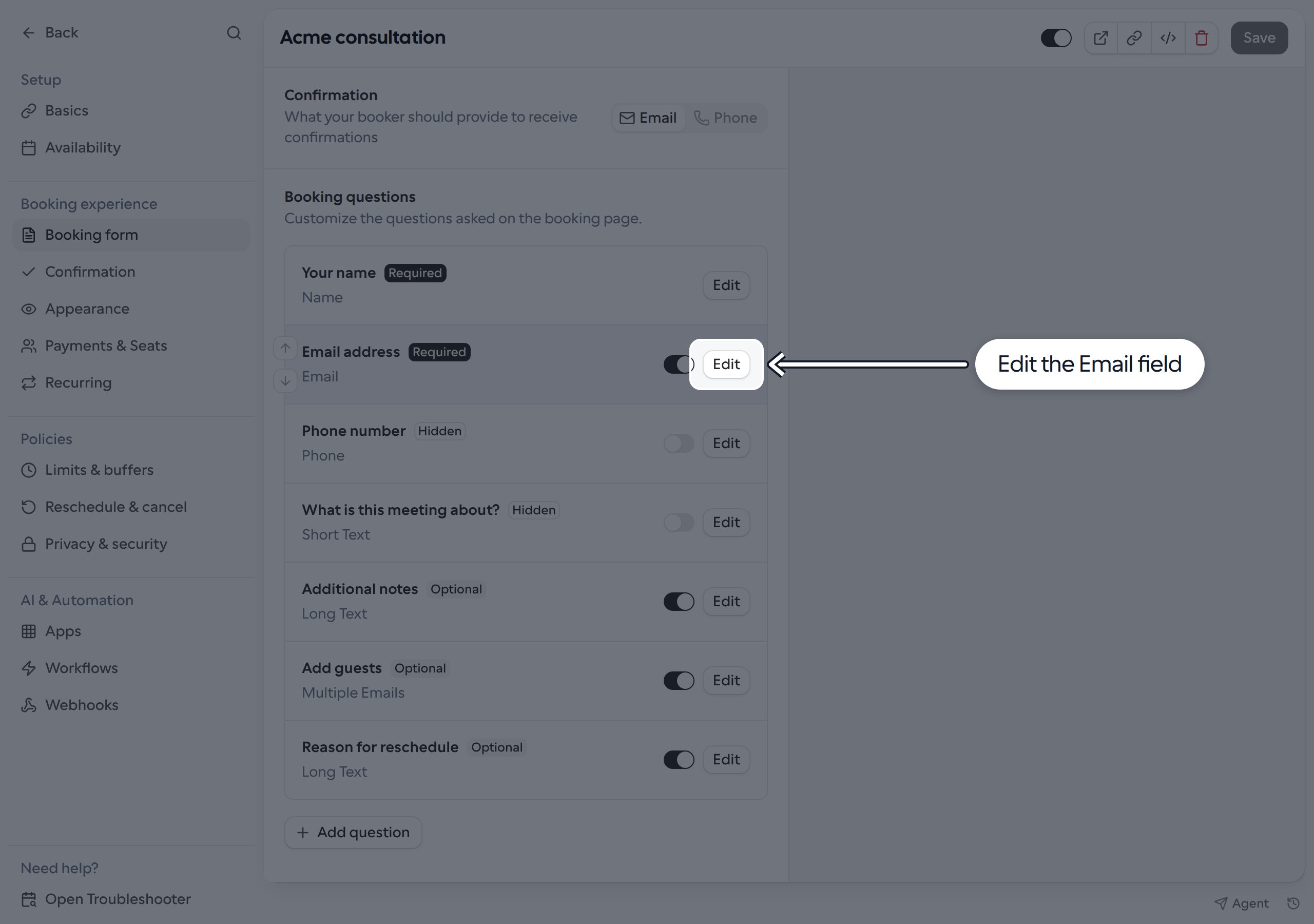
- Select Booking form. Under Booking questions, find Email address (the Email field) and click Edit.
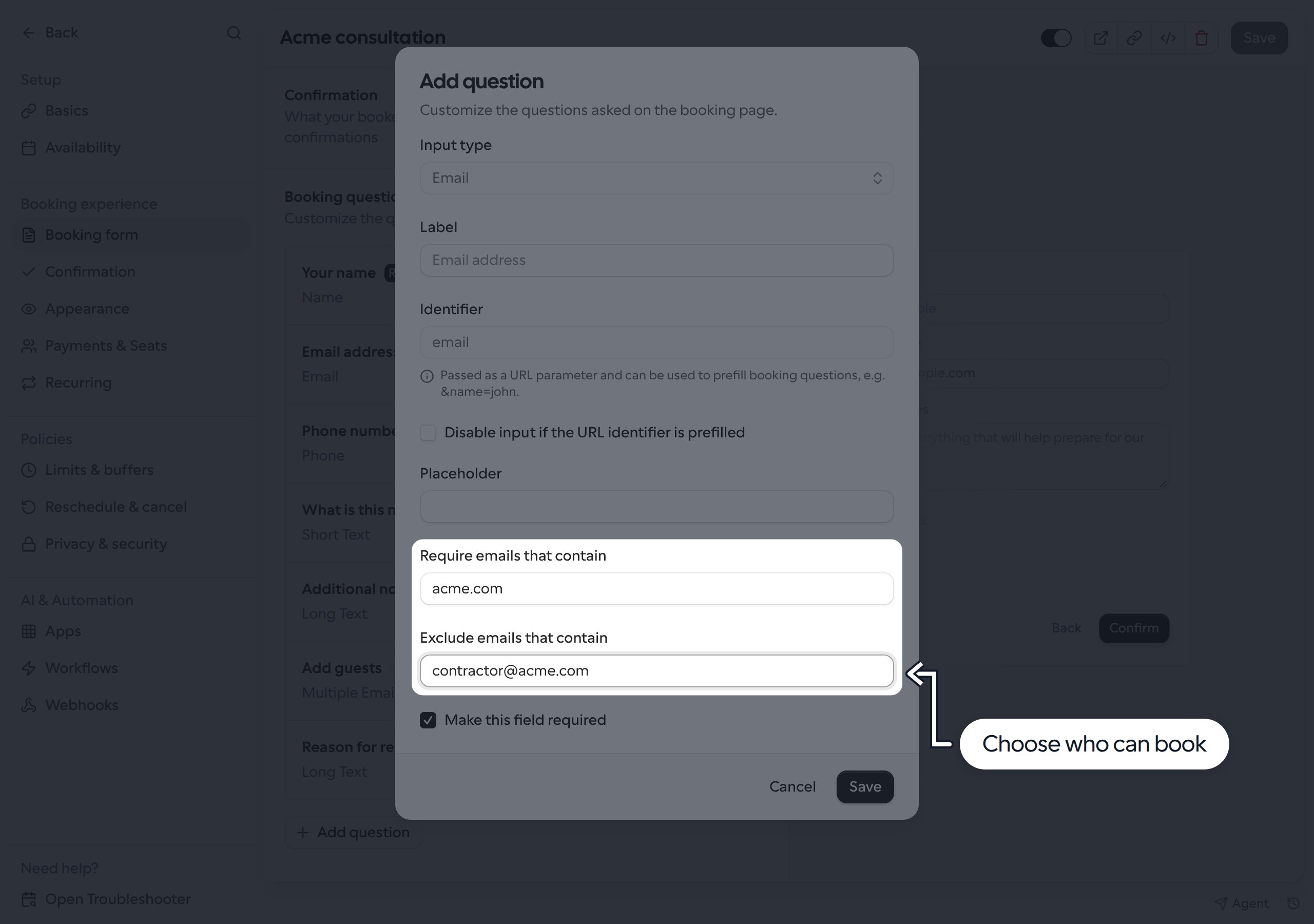
- Fill in either or both fields:
- Require emails that contain: only allow addresses matching an entry.
- Exclude emails that contain: block addresses matching an entry.
- Separate multiple entries with commas, such as
gmail.com, yahoo.com. Leave a field blank if you do not need that restriction. - Click Save in the dialog, then Save on the Link.
How matching works
Entries match whole domains or whole addresses, not any text the email contains:acme.comand@acme.comboth match the exact email domain. They do not matchsub.acme.comornotacme.com.- A full address, such as
contractor@acme.com, matches only that address. - Matching is case-insensitive, and spaces around comma-separated entries are ignored.
- When both fields are filled, an address must match a required entry and must not match any excluded entry.
acme.com and exclude contractor@acme.com to allow jane@acme.com, but block both contractor@acme.com and jane@gmail.com.
These rules apply to the question you edit, not to Add guests or other email questions. You can configure restrictions separately on other Email-type questions. This checks the address entered, not whether someone is a verified member of an organization.
What bookers see
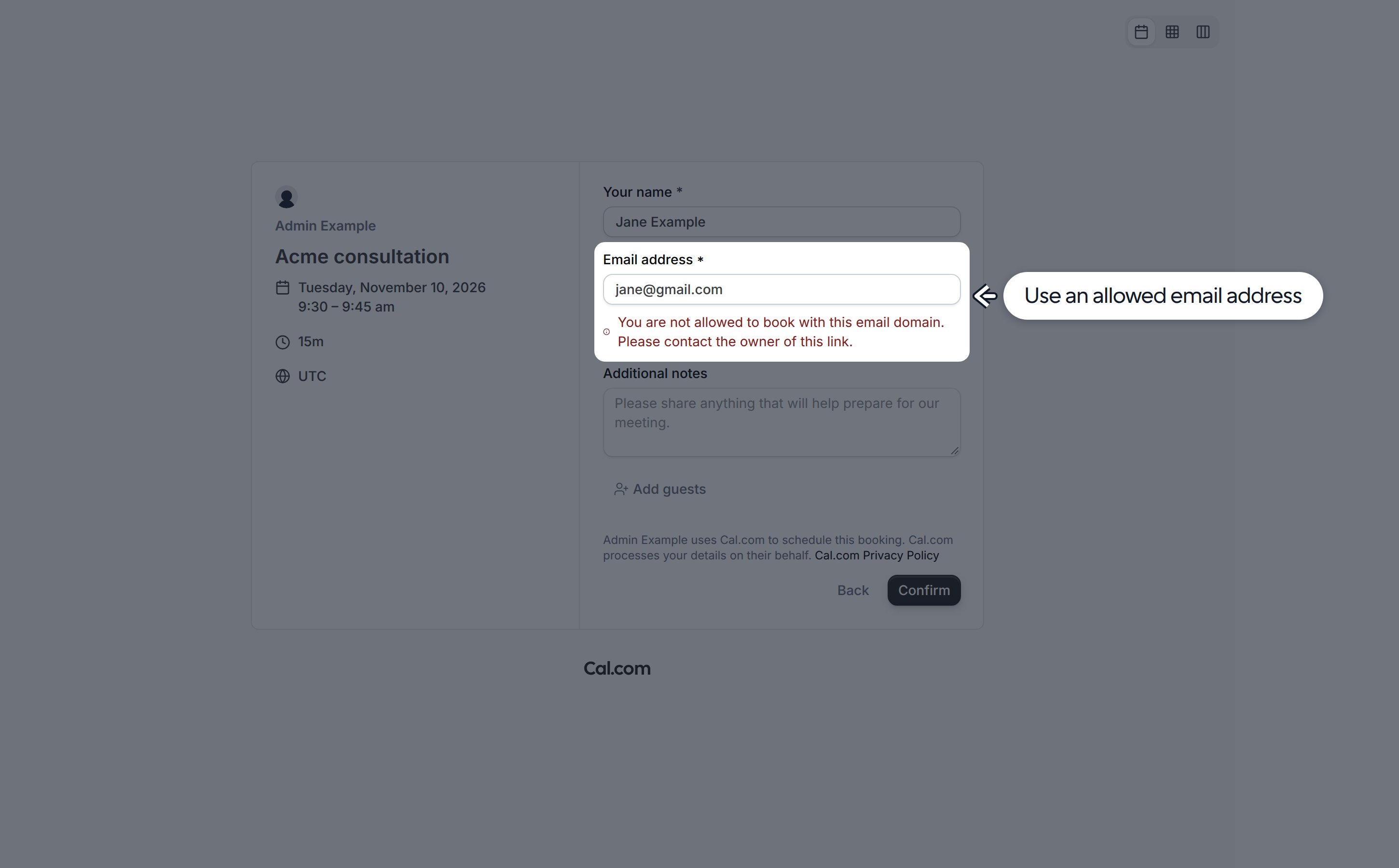
Bookers cannot continue with a blocked address. An error appears below the email field:- If the address does not match a required entry: “You are not allowed to book with this email domain. Please contact the owner of this link.”
- If the address matches an excluded entry: “Please enter a valid work email address”.