





Automation
Cal Pay
Payments and deposits on booking.
Texts, emails, WhatsApp messages and calls go out around every booking, when you say, in each guest's own time zone.
Tuesday 3 November
17:00
Cal
Hi Reilly Barry, this is a reminder that your meeting (Discovery call) with Lena Brandt is on 2026 Nov 4 at 5:00pm Asia/Tokyo.
Create a text reminder workflow for my attendees on “Discovery call”
Create this workflow?
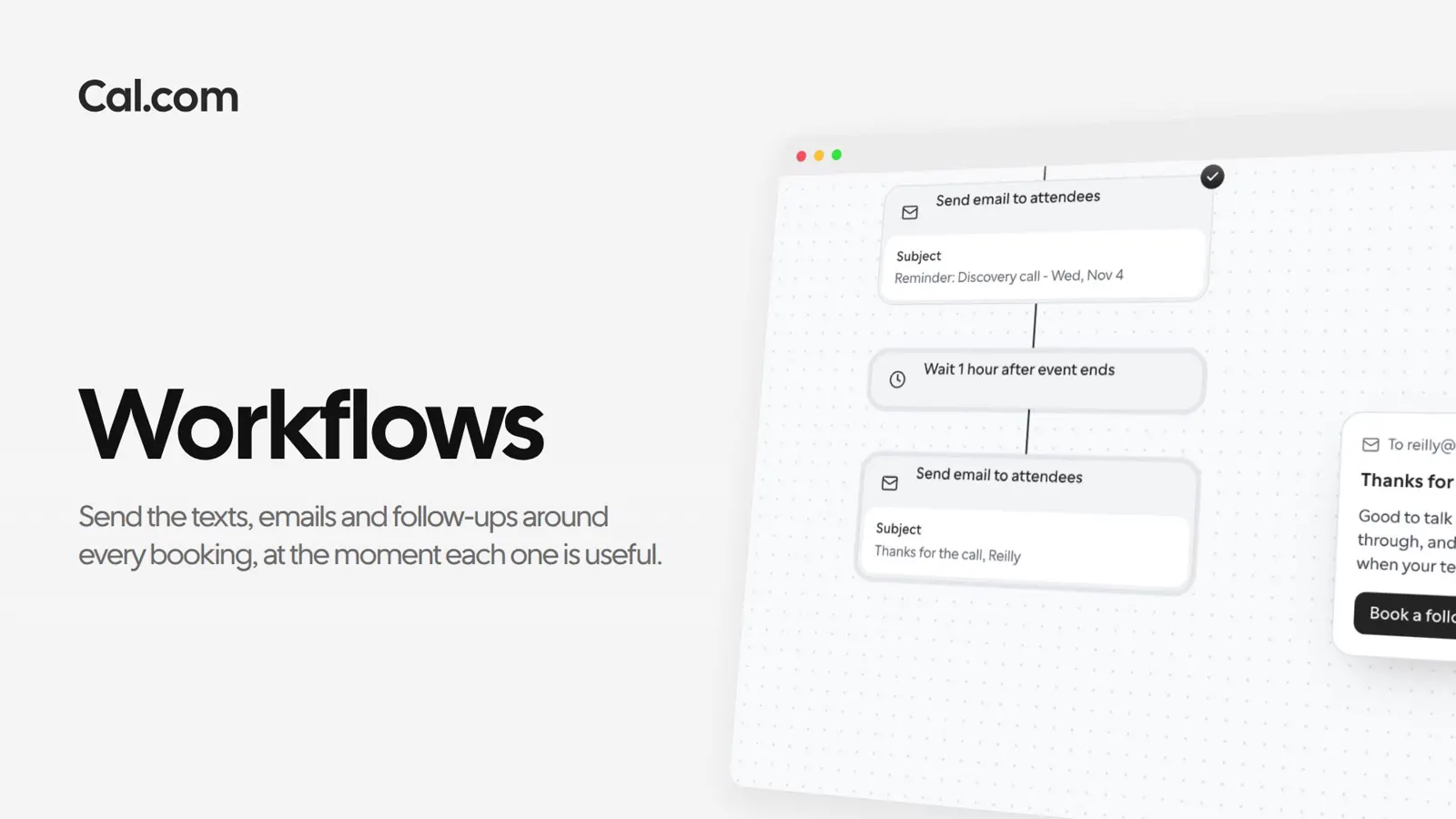
This is the workflow behind Reilly's discovery call with Lena. Each step runs when its moment comes, and Lena doesn't send a thing.
Each workflow has one trigger: an event booked, canceled or rescheduled, or a set time before it starts or after it ends. This one runs on every Discovery call.
Minutes, hours or days before the event. Twenty-four hours ahead, the reminders go out in time for Reilly to plan his day.
Reilly gets an SMS with the call's name, date and time in his own time zone. Send to the attendee, or to any number you choose.
Use Cal.com's template or write your own with variables for the name, the time and the location, so each guest reads their own details.
An hour after the call ends, Reilly gets a thank-you with a link to book the next one, while the call is still fresh.
A short recording of the same workflow, from its trigger to the follow-up, in the steps above.
In this video
Reilly books a discovery call with Lena. Each workflow waits for its moment and sends one thing.
Variables fill in the name, the meeting and the time in the guest's zone. Switch the guest to see the same text twice.
Paths split a workflow on what people answered. When a company over 500 people fills in your form and doesn't book, the Cal.ai Phone Agent calls them 15 minutes later.
The common ones are ready: a text the day before, a follow-up for no-shows, a reminder to bring ID. Change the words and the timing, then save.
Each one works the same way: set it up once on a link, or ask Cal.ai to do it for you.
Sign up and start from a template. Your next booking gets its first reminder.
Get startedTalk to sales